Work/Ledger House
Live · Privately hosted
Ledger House
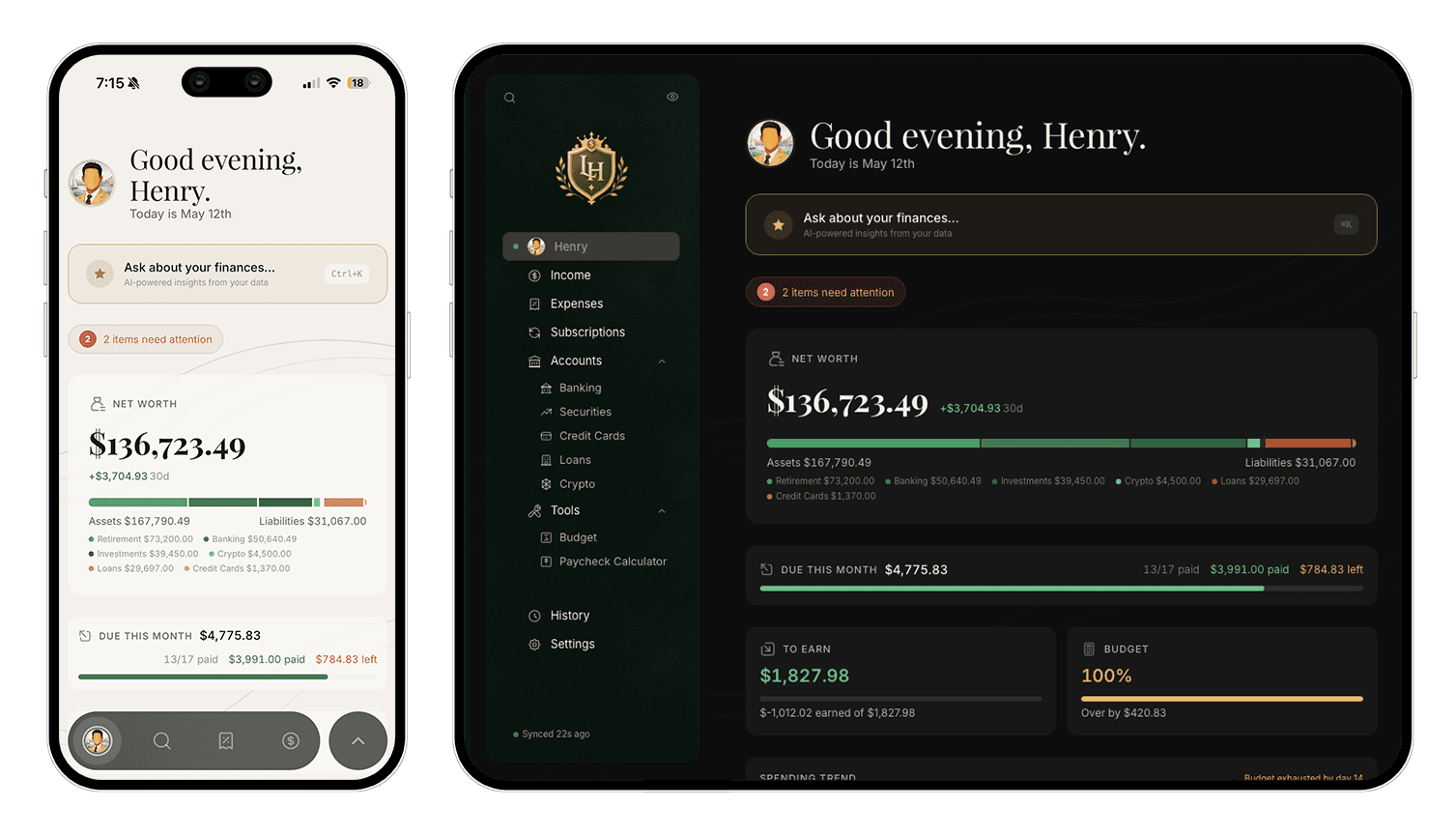
Ledger House is a self-hosted portfolio manager for a home office. It holds a household's accounts, income, investments and loans on hardware the owner controls, with direct indexing and tax-loss harvesting built in.
- Sector
- Personal finance and home office
- Type
- Self-hosted web app for phone and desktop
- Built with
- React, Express, SQLite, Docker
- Where it runs
- A private server at home
The problem
Serious money, managed in a spreadsheet.
The household's finances lived in a spreadsheet of twelve sheets and more than sixty tables, joined by formulas that only its author understood and that could not be edited from a phone.
Consumer finance apps did not fit. They assume a paycheck lands in one account, when this household splits each one across several accounts by purpose. They also keep the data on someone else's servers.
The owner wanted the opposite: a tool shaped around how the money really moves, running on a machine in the house.
What it does
A private office for one household.
- Direct indexing
- The portfolio holds the individual shares of an index instead of a single fund, so each position can be managed on its own.
- Tax-loss harvesting
- Positions trading below their cost are identified so losses can be realized against gains, which direct indexing makes possible share by share.
- Income distribution
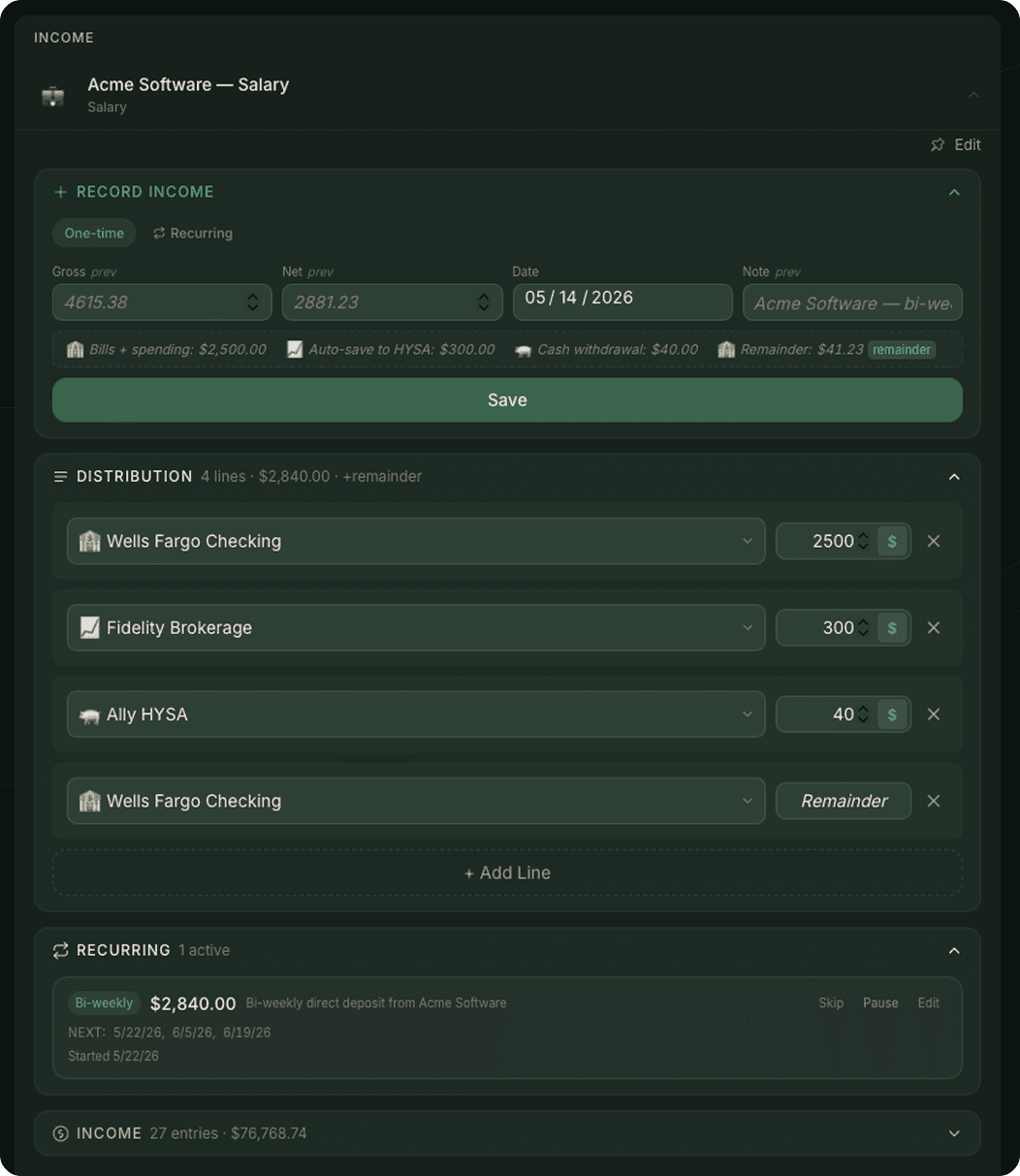
- Each paycheck is split across accounts from an editable template and locked once confirmed.
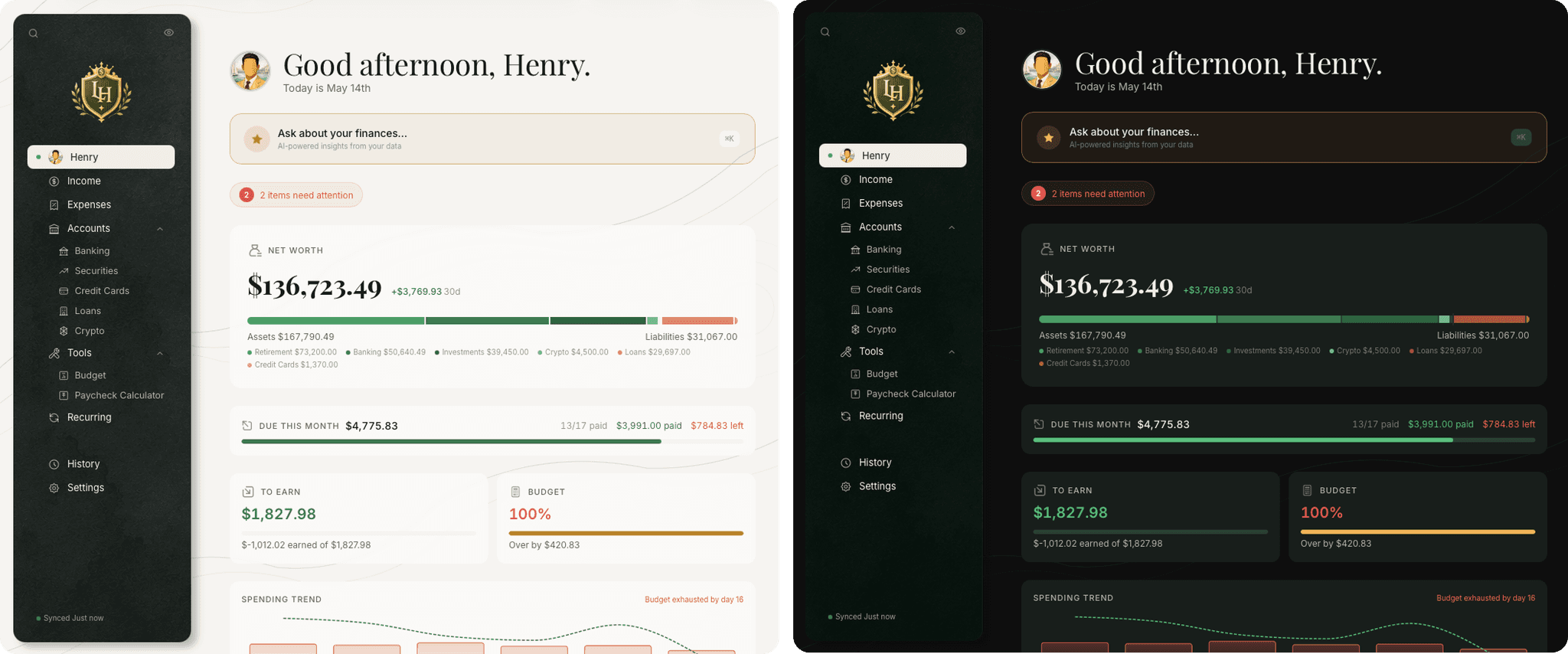
- Every account in one view
- Banking, investments, credit cards, loans and crypto, with expenses and recurring charges tracked alongside.
- Ask the data
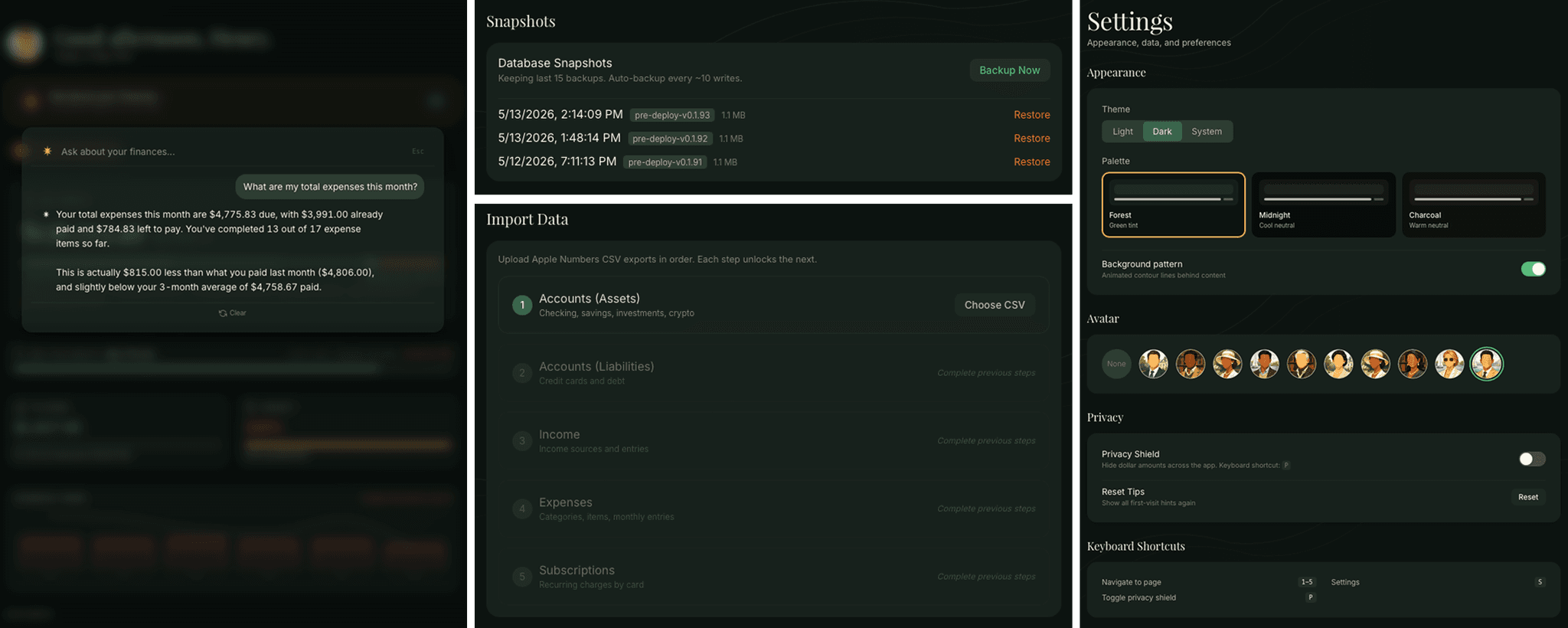
- Questions in plain English about transactions, accounts and budgets, answered from the household's own records.
- Privacy and safety
- One shortcut blurs every amount on screen. The database backs itself up automatically and any recent copy can be restored.
Inside the app
Designed to be opened every day.
Screens from the application, shown with sample data.
Income distribution
One paycheck, sent where it belongs.
Each deposit is divided across checking, brokerage and savings from a saved template. The remainder is assigned automatically, and the split is locked once the owner confirms it.
Information architecture
From twelve sheets to one navigation.
The first job was not design. It was working out what the spreadsheet really contained.
Audit
Every one of the sixty-plus tables was reviewed and grouped by what it did, not by what it was called.
Eight kinds of data
Income, expenses, budget, banking, investments, credit cards, loans and crypto.
Natural hierarchy
The five account types live under one Accounts area as filtered views, so the menu stays short.
One main action each
The most common task in each area decided what earned a place in the eight-item navigation.
The design system
A private bank's ledger, not a trading app.
The first design decision was what the app should not look like: no bright gradients, no glass effects, no celebration when a transaction is logged.
- Color with a job
- Forest green is the accent, coral marks expenses and liabilities, gold marks income. Red is kept for errors alone, because red on every negative number tires the eye in an app opened daily.
- Two typefaces
- A plain sans-serif does all the functional work. A display serif appears in exactly one place, the net worth figure on the home screen.
- Numbers that line up
- Figures use equal-width numerals everywhere, so columns of amounts can be compared at a glance.
- Light and dark from day one
- Both modes shipped together in three palettes, each meeting accessibility contrast standards.
- Built for the keyboard
- Single-key shortcuts reach every area, for someone who opens the app every day, not once.
Engineering for money
Rules that keep the totals right to the cent.
- Whole cents, never decimals
- Every amount is stored as a whole number of cents, which removes the rounding errors ordinary decimal arithmetic introduces.
- Splits that add up
- When a paycheck is divided by percentage, leftover cents are assigned by a fixed rule, so the parts always equal the whole.
- All or nothing
- A change that touches several records either completes entirely or not at all, so a balance is never left half-updated.
- Deletions that follow through
- Removing an expense also removes every payment and balance entry that depended on it, so nothing is left behind to distort a balance.
- History with undo
- Changes are recorded and can be reversed, and the database snapshots itself every ten writes, keeping the last fifteen.
- A staged move from the spreadsheet
- The old data was imported in five steps, each unlocking the next, so nothing could arrive out of order.
- AI that stays at home
- Questions are answered against data on the owner's own server, using a key the owner holds.
By the numbers
A spreadsheet replaced in eight weeks.
Figures as published in the case study.
Spreadsheets consolidated into eight areas of data
Database tables in production
API endpoints behind fourteen screens
Weeks from first design to daily use
For a private office, self-hosting is the feature.
Families and principals increasingly want their financial picture in their own hands: no third-party aggregator, no monthly subscription, no question about who else can read it.
Ledger House shows what that can look like, and the same holds for a business that has outgrown its spreadsheets. It is the kind of system we build and then look after: installed, backed up, kept current and private.